About the Asgard Management Console
The Management Console is the admin back office for the Asgard platform. It does no business work of its own. It decides two things: where users enter each product, and who can use which resource in which product.
The Console is scoped to one workspace. Its URL is /workspace/{workspaceId}, with no project level beneath it, so the members and permissions you see in the Console are all relative to the current workspace. The workspace name appears at the top of the page.
My Products: the entry point to each product
The landing page after signing in is My Products, which groups the products enabled for this workspace into three sections by purpose:
| Section | Products |
|---|---|
| Enterprise AI Solution | Odin (Asgard Studio), Mimir (Asgard Data Insight), Sindri (Asgard Agent Hub) |
| Public Opinion | Heimdall (Asgard Media & PR AI) |
| Utility | Fehu (Asgard Billing Portal) |
Each card lists three headline capabilities for that product — Odin's are AI Workflows, Enterprise Knowledge Base & Semantic Model, and AI Apps Integration — and Open takes you into it. More products, to the right of the section heading, shows products not yet enabled.
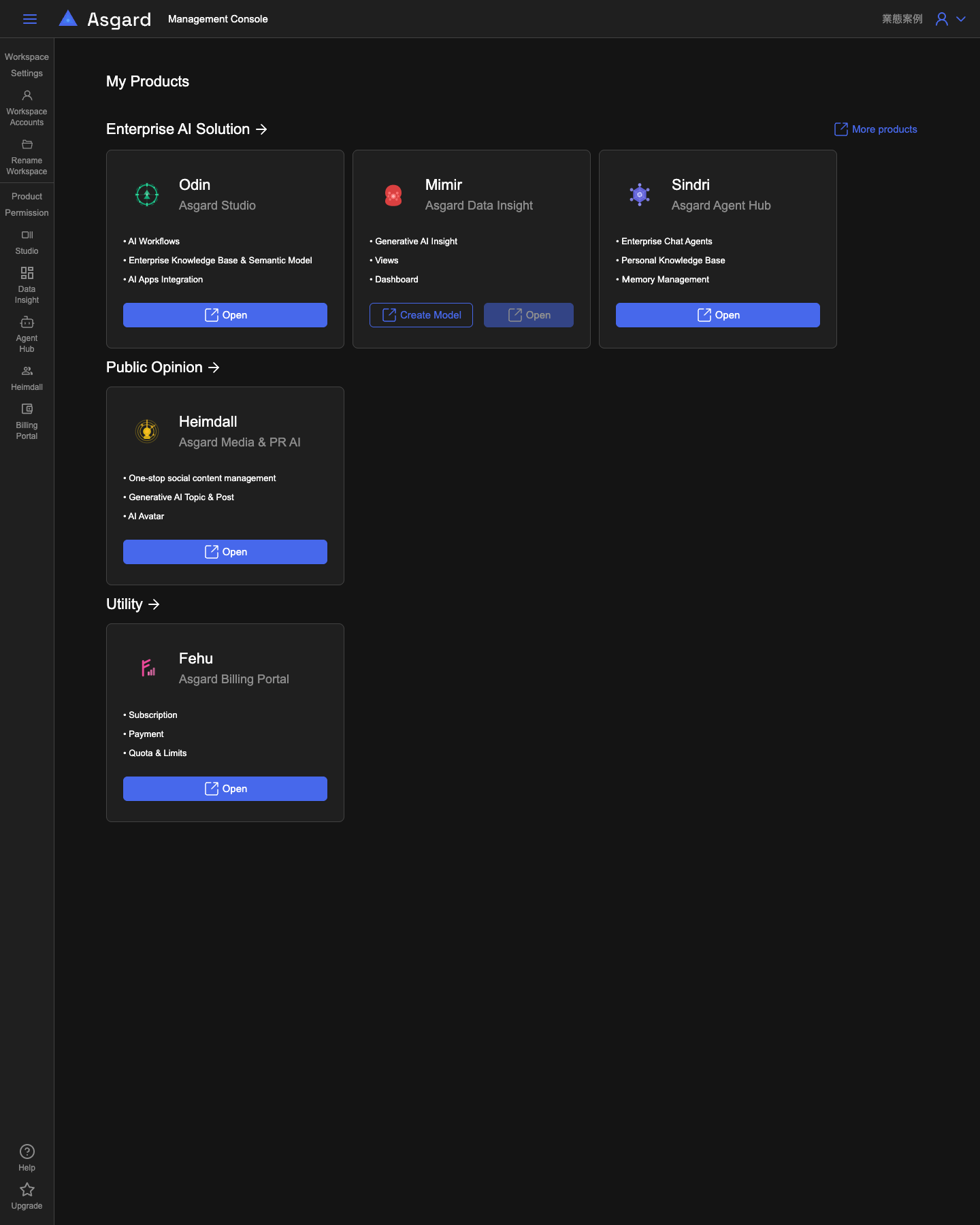
Mimir's card carries a Create Model action in addition to Open; the other four have Open alone. That difference comes from how Data Insight permissions work: they are scoped to a single semantic model, so the workspace needs at least one semantic model before the Console has anything to grant access to. Create Model is a shortcut straight to creating that first model, and the full flow is covered in Odin's Semantic Model.
The left navigation: two sections
The left navigation splits the Console's functions into two blocks, matching two different permission scopes:
- Workspace Settings holds Workspace Accounts and Rename Workspace, which govern the members and the name of the whole workspace. See Workspace settings and accounts.
- Product Permission holds five entries — Studio, Data Insight, Agent Hub, Heimdall, Billing Portal — each managing that product's accounts and roles. See Product permissions and account management.
Below those sit Help and Upgrade.
The difference between the two is scope, not capability. Workspace Accounts decides who owns this workspace; Product Permission decides who can use a particular resource inside a particular product. Someone can appear in Workspace Accounts and still see nothing inside a product, because no one granted them access to that resource.
The path segments in the URL do not match the navigation labels, which matters when you go looking through source or logs: Studio's path is platform, and Agent Hub's is sindri.