Data Model
What lets Mimir translate natural language into correct SQL is the semantic model's description of the data: which table, what each column means, and which measures are predefined. The Data Model button at the top opens the full structure of the currently selected semantic model, so you can confirm what a column in an answer actually represents.
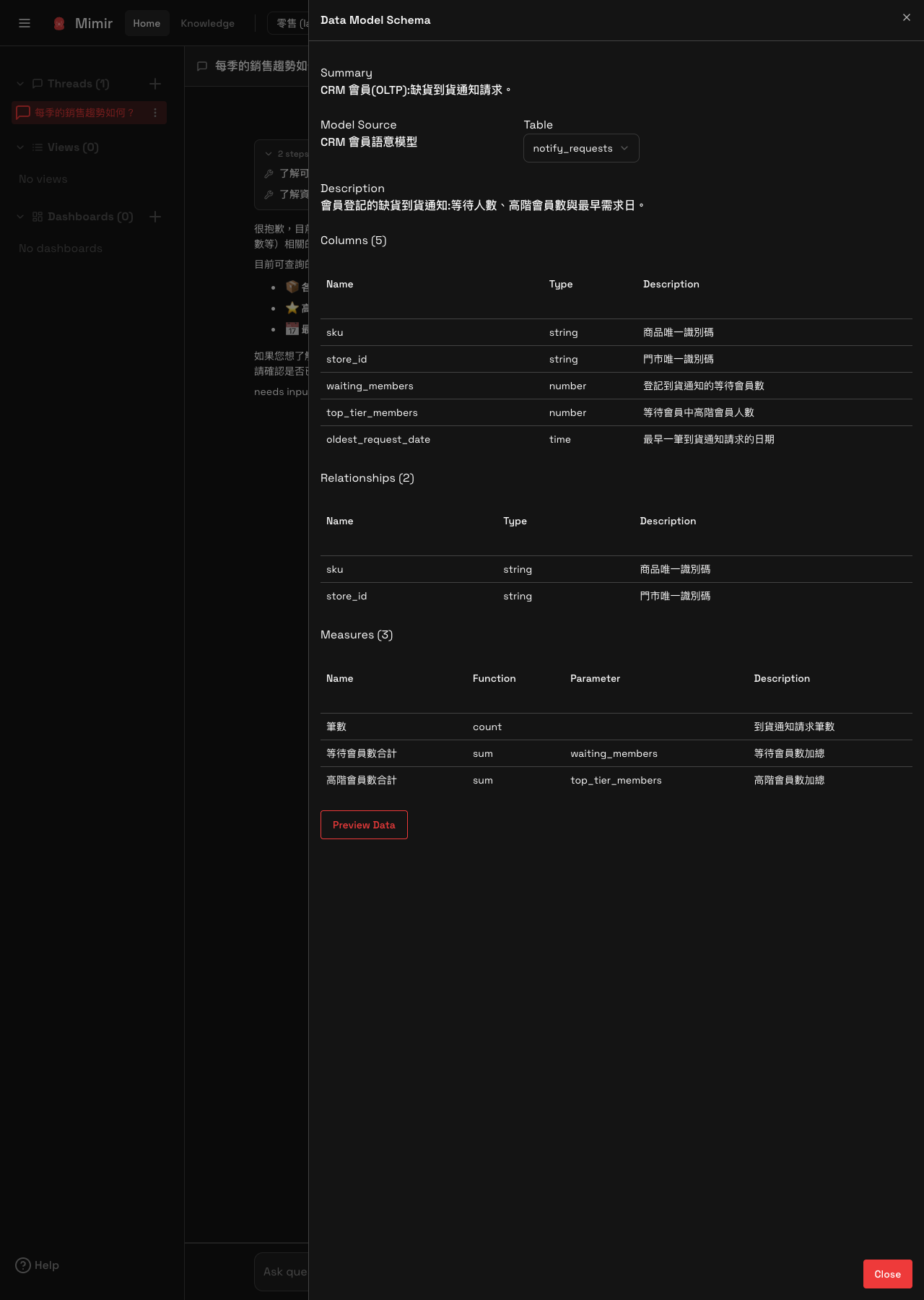
The panel contains:
- Summary: a summary of the business scope this semantic model describes.
- Model Source: which semantic model this structure comes from.
- Table: the table name and its description.
- Columns: each column's name, type and description. In the retail sample's restock-notification table, for example, that means the product identifier, the store identifier, the number of members waiting, how many of those are top-tier members, and the date of the earliest request.
- Relationships: the columns through which this table relates to other data.
- Measures: the predefined measures, including each measure's name, its aggregation function and the column it is calculated from. For example, a record count uses count, and a total of waiting members uses sum over the corresponding column. You can ask questions using these measure names directly, without describing the arithmetic yourself.
Preview Data at the bottom of the panel previews the table's real rows, which is how you confirm what the columns actually hold.
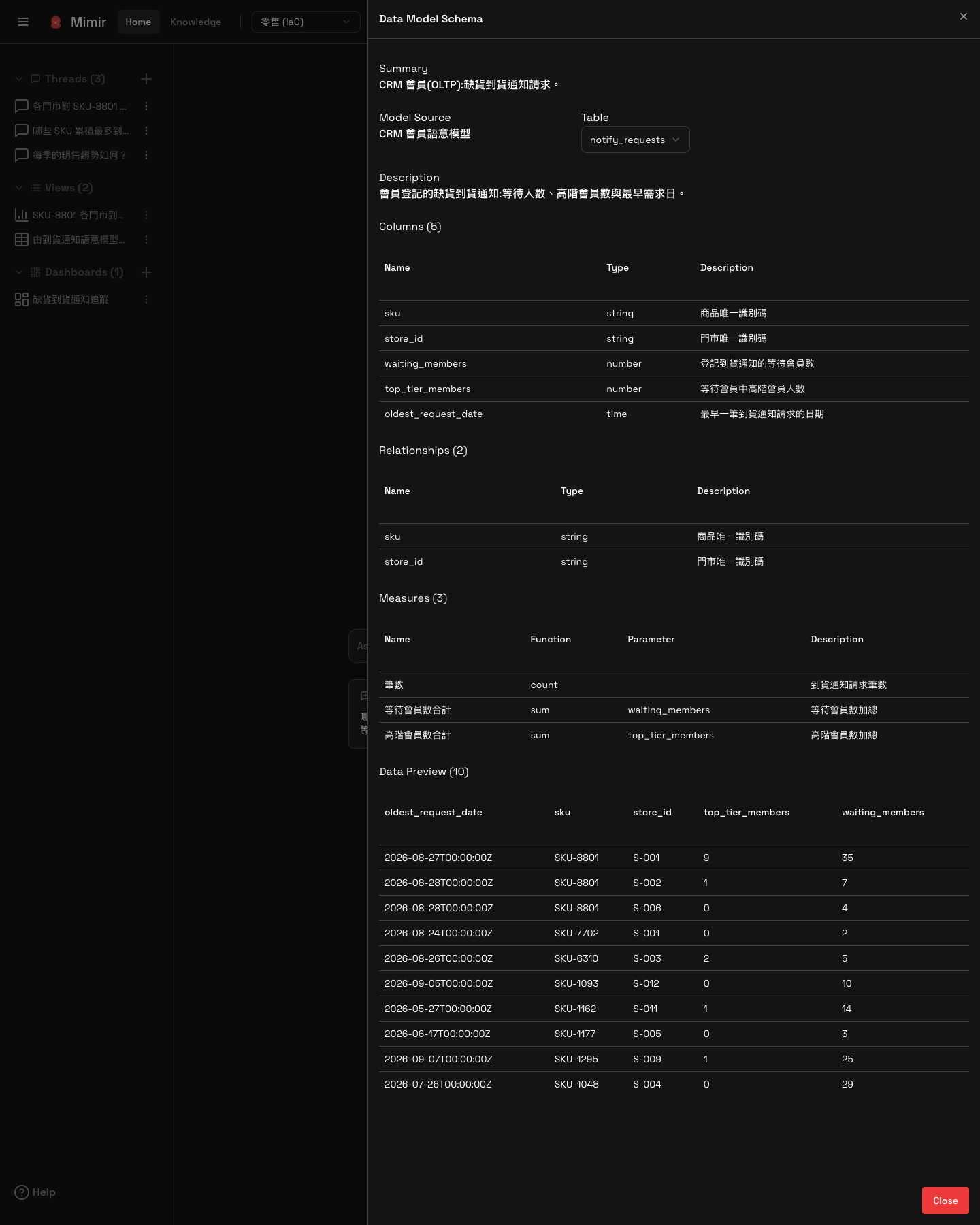
Preview Data at the bottom of the panel shows the table's real rows, so you can confirm what a column actually holds. It lists ten rows of raw database values — for the notification table, how many members are waiting for a given SKU at a given store, and how many of them are top-tier.
Semantic models are created and published in Odin | Asgard Studio. Mimir only reads and displays them, and offers no editing.