Configuration
Global settings for Agent Hub (Sindri) that apply to every conversation under this Project. The page is split into two tabs, Models and Global Directory.
Models
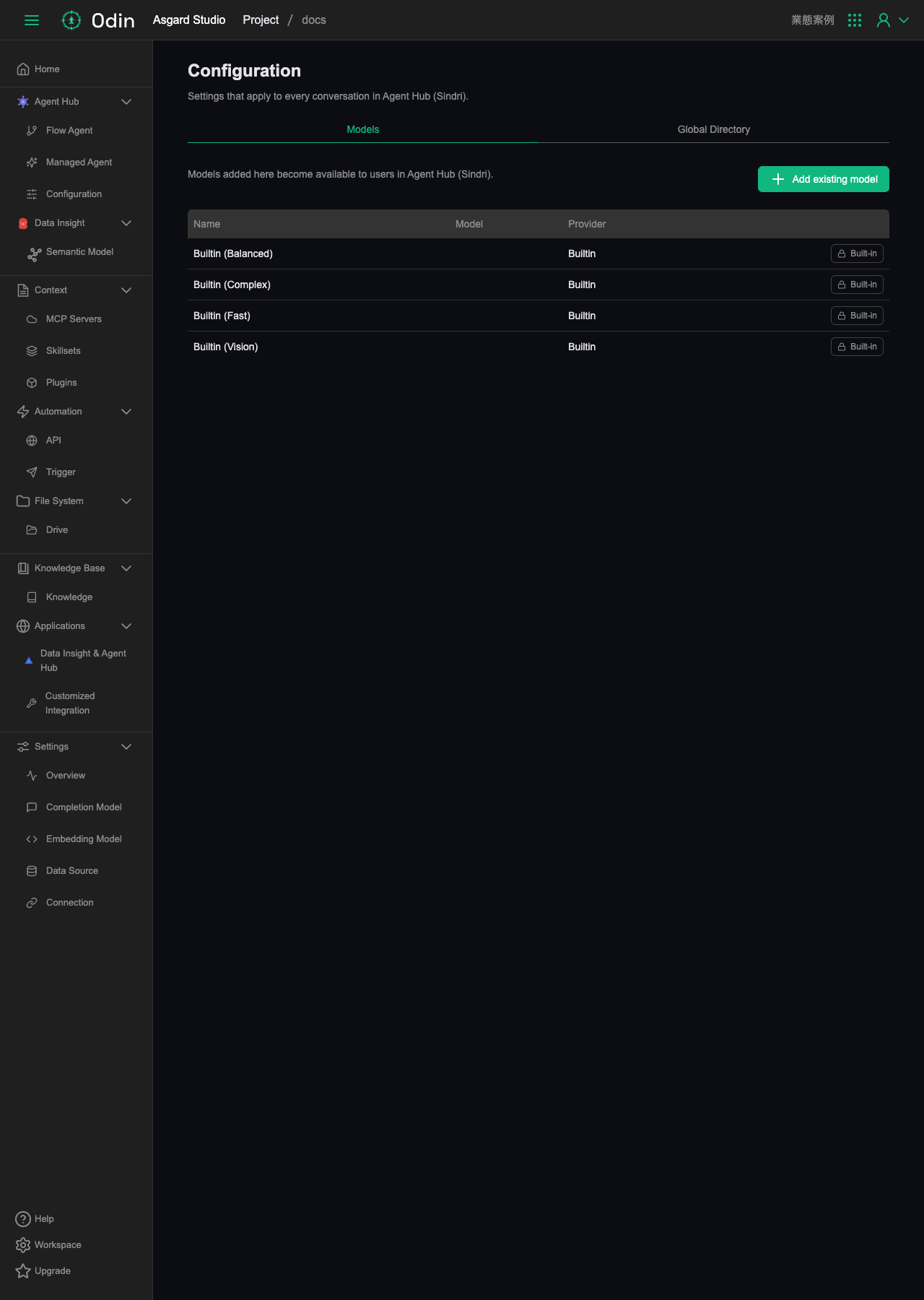
Models added here become available to Agent Hub (Sindri) users. The page lists the models currently added, with columns for Name, Model, and Provider. The four built-in models (Builtin Balanced, Builtin Complex, Builtin Fast, Builtin Vision) are present by default, marked Built-in, and can't be removed.
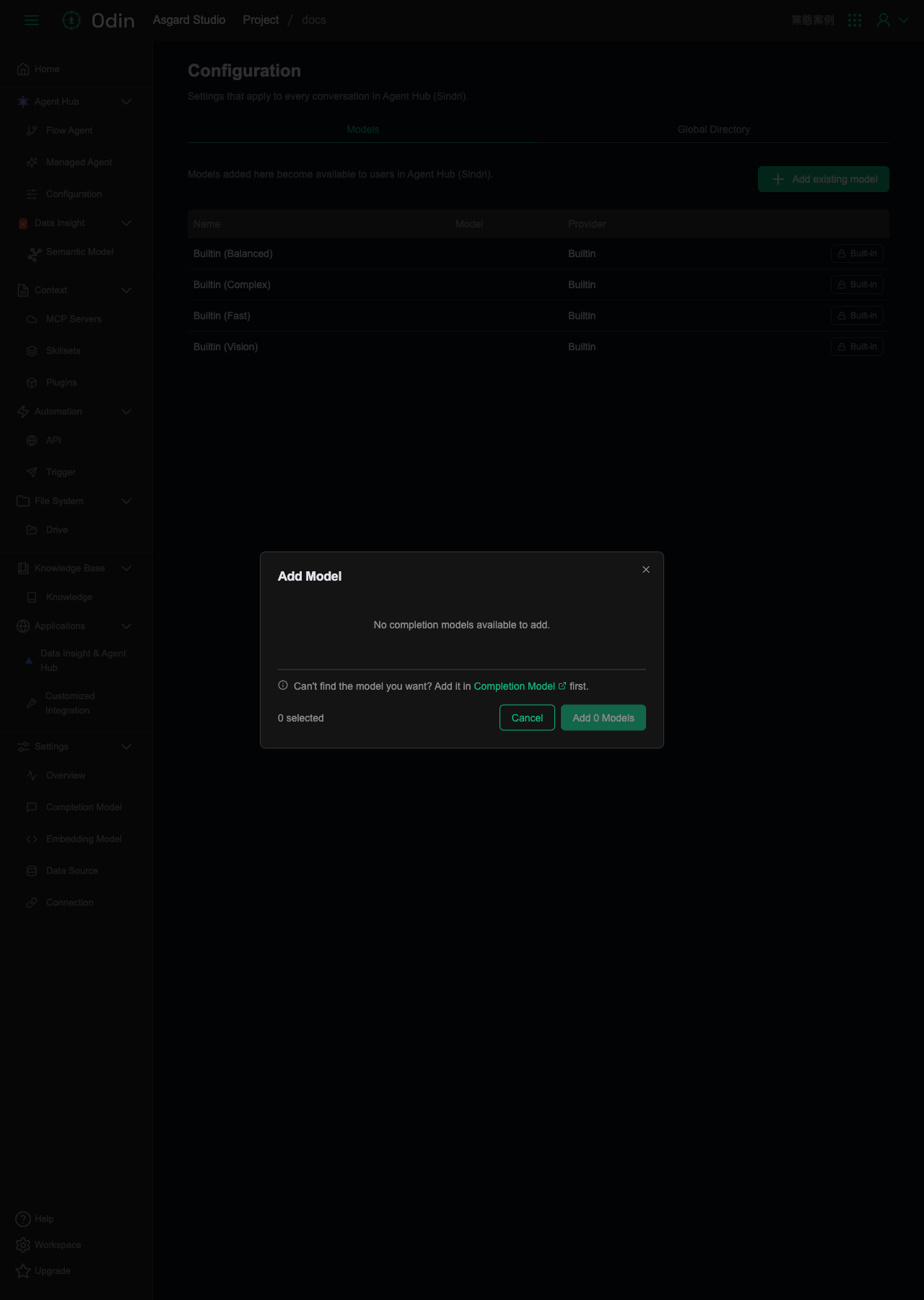
Clicking Add existing model in the top right opens the Add Model dialog, which lists the Completion Models available to add. If the dialog reports nothing available, add a model on the Completion Model page first, and it becomes selectable here.
Global Directory
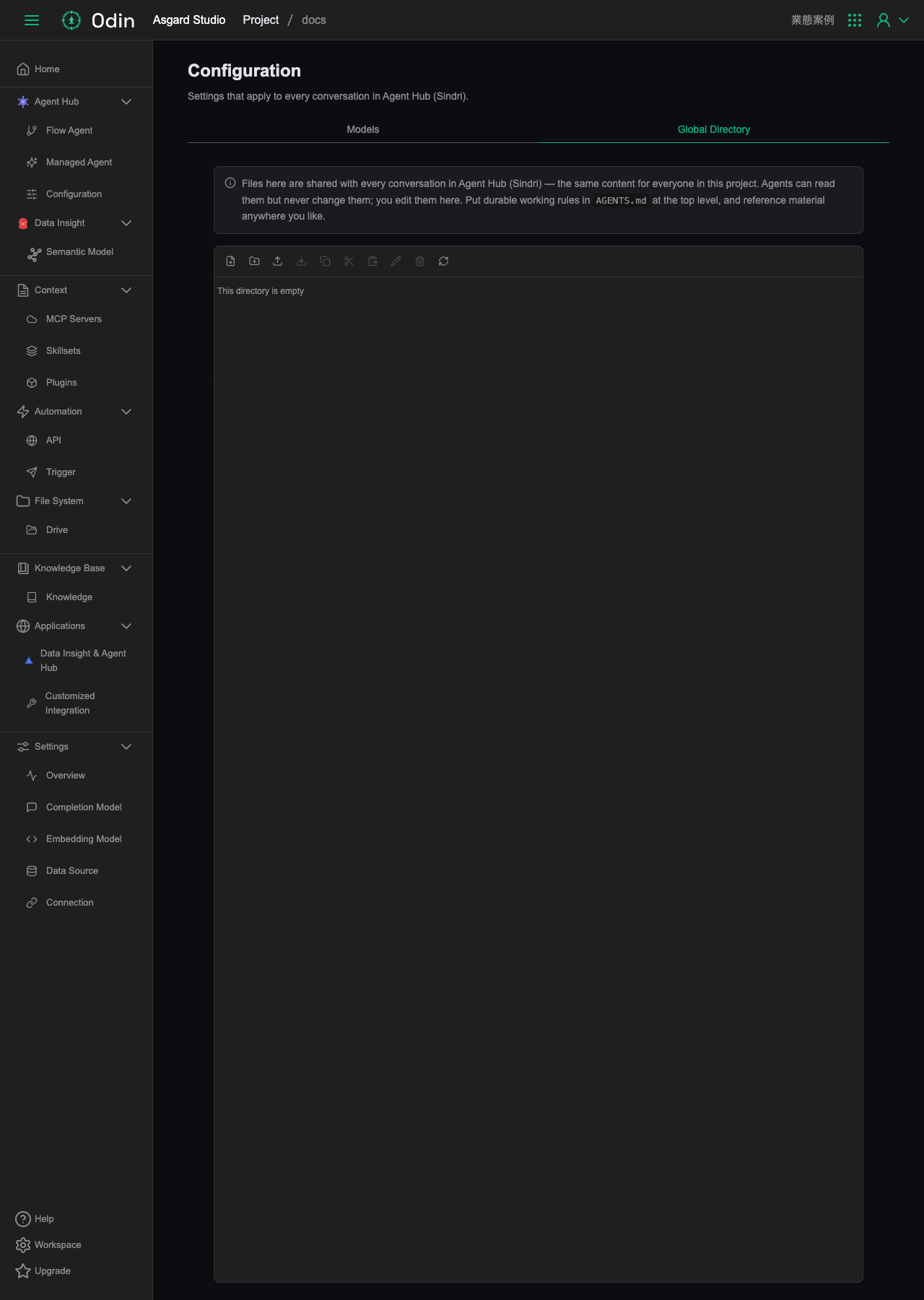
Files here are shared with every Agent Hub conversation under this Project, and everyone sees the same content. Agents can read these files but can't modify them. Editing happens only on this page. The convention is to put long-lived working rules in a top-level AGENTS.md, and organize other reference material however suits you.
The page provides a toolbar for creating files, creating folders, uploading, downloading, copying, cutting, pasting, renaming, deleting, and refreshing, working the same way as any file explorer.