Managed Agent
A Managed Agent is an LLM conversational agent published to Agent Hub (Sindri). Every Managed Agent publishes to Sindri and can also be managed in the Asgard Management Console. An enabled agent starts serving immediately; a disabled one stops serving but keeps its configuration.
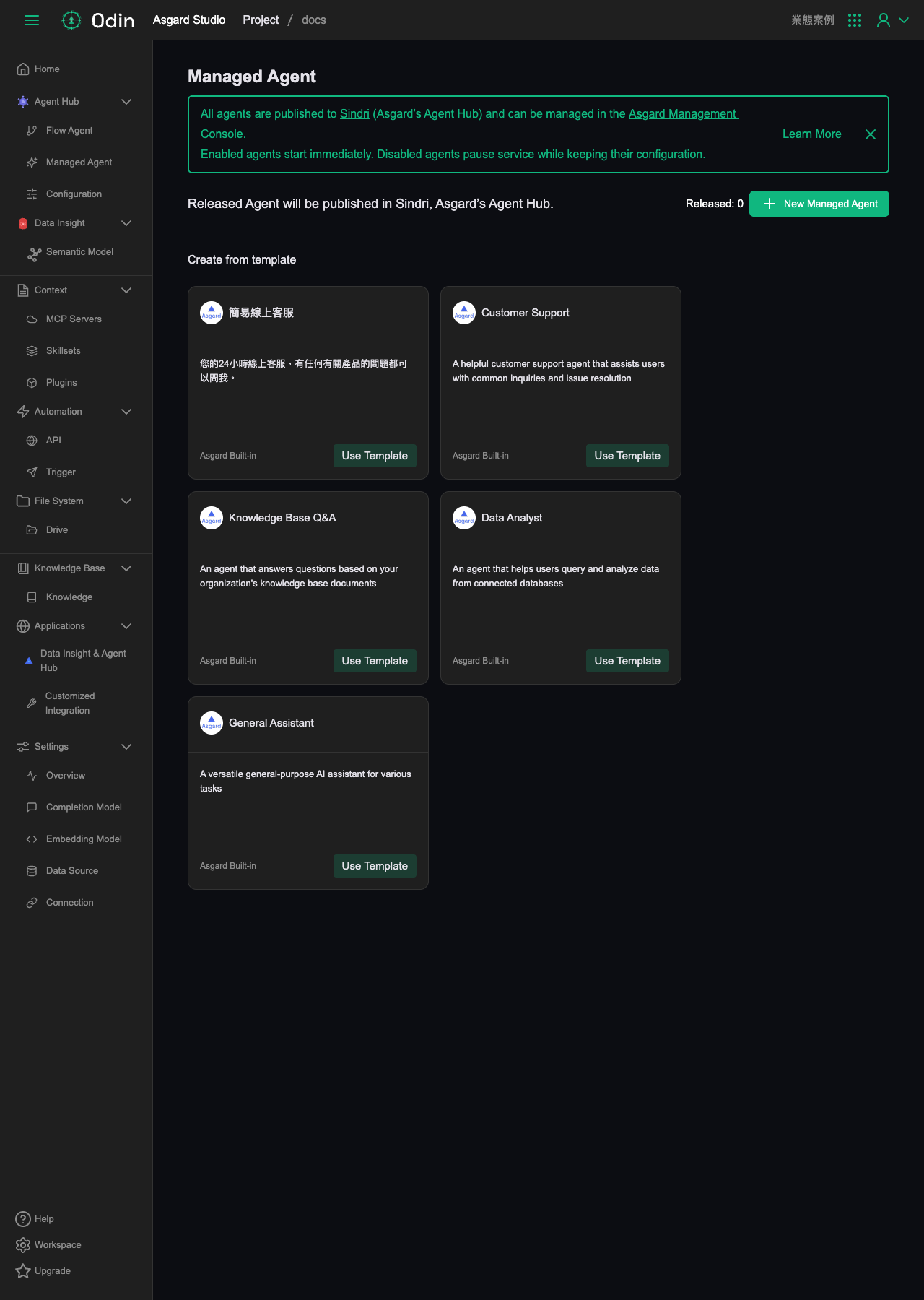
The page offers five built-in templates (Asgard Built-in) you can apply directly: 簡易線上客服, Customer Support, Knowledge Base Q&A, Data Analyst, and General Assistant. You can also click New Managed Agent in the top right to start from blank.
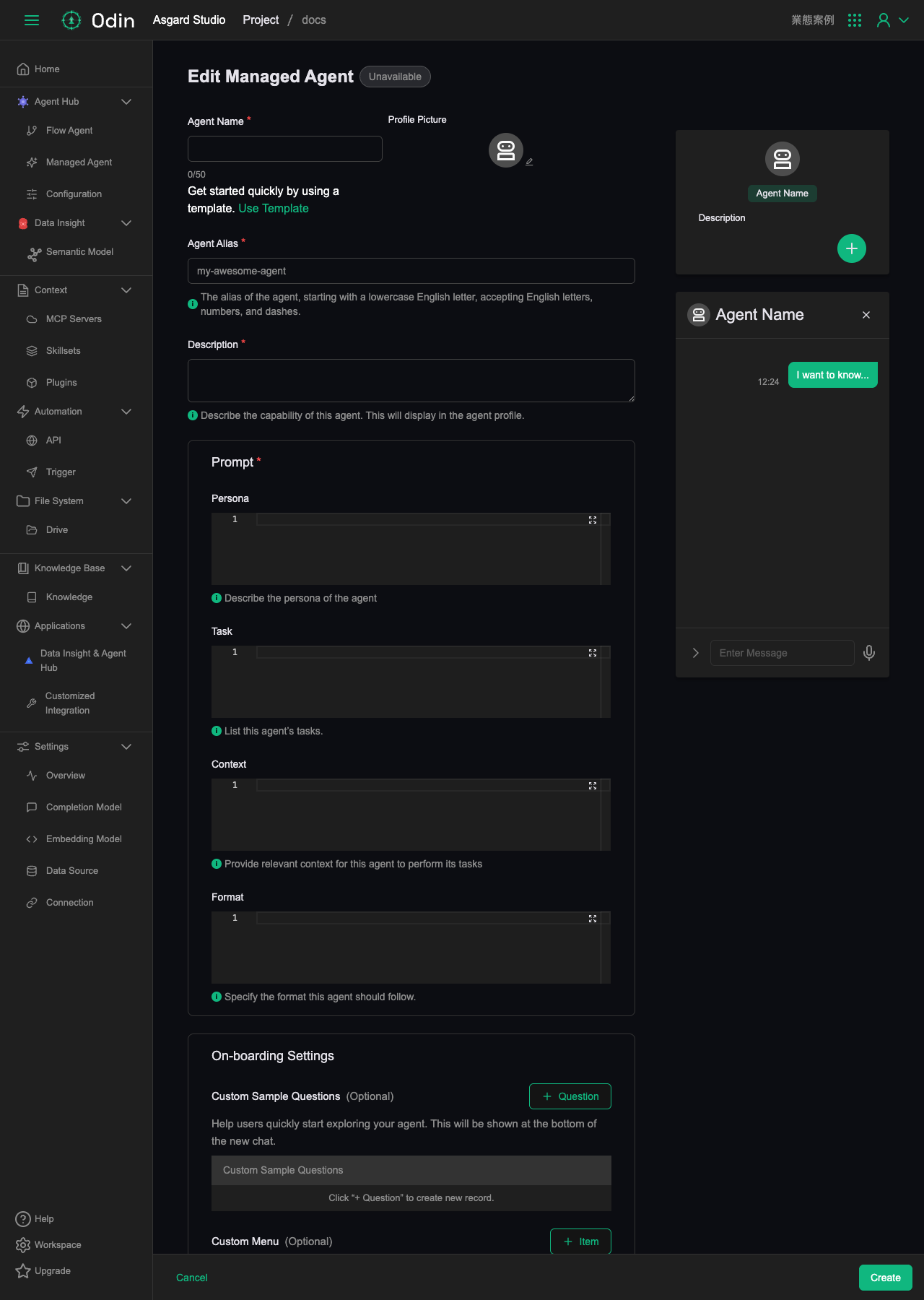
The creation form asks for:
- Agent Name (required): the agent's name.
- Profile Picture: the agent's avatar image.
- Agent Alias (required): the agent's alias. It must start with a lowercase letter and may contain only letters, digits and hyphens.
- Description (required): what this agent can do. It appears on the agent's profile.
- Prompt (required): split into four fields. Persona (who the agent is), Task (the list of tasks it performs), Context (the background it needs while working), and Format (the format its replies must follow).
- On-boarding Settings (optional): Custom Sample Questions gives users example questions to click below a new conversation; Custom Menu adds custom menu items.
The right side of the screen previews the agent's conversation interface live.
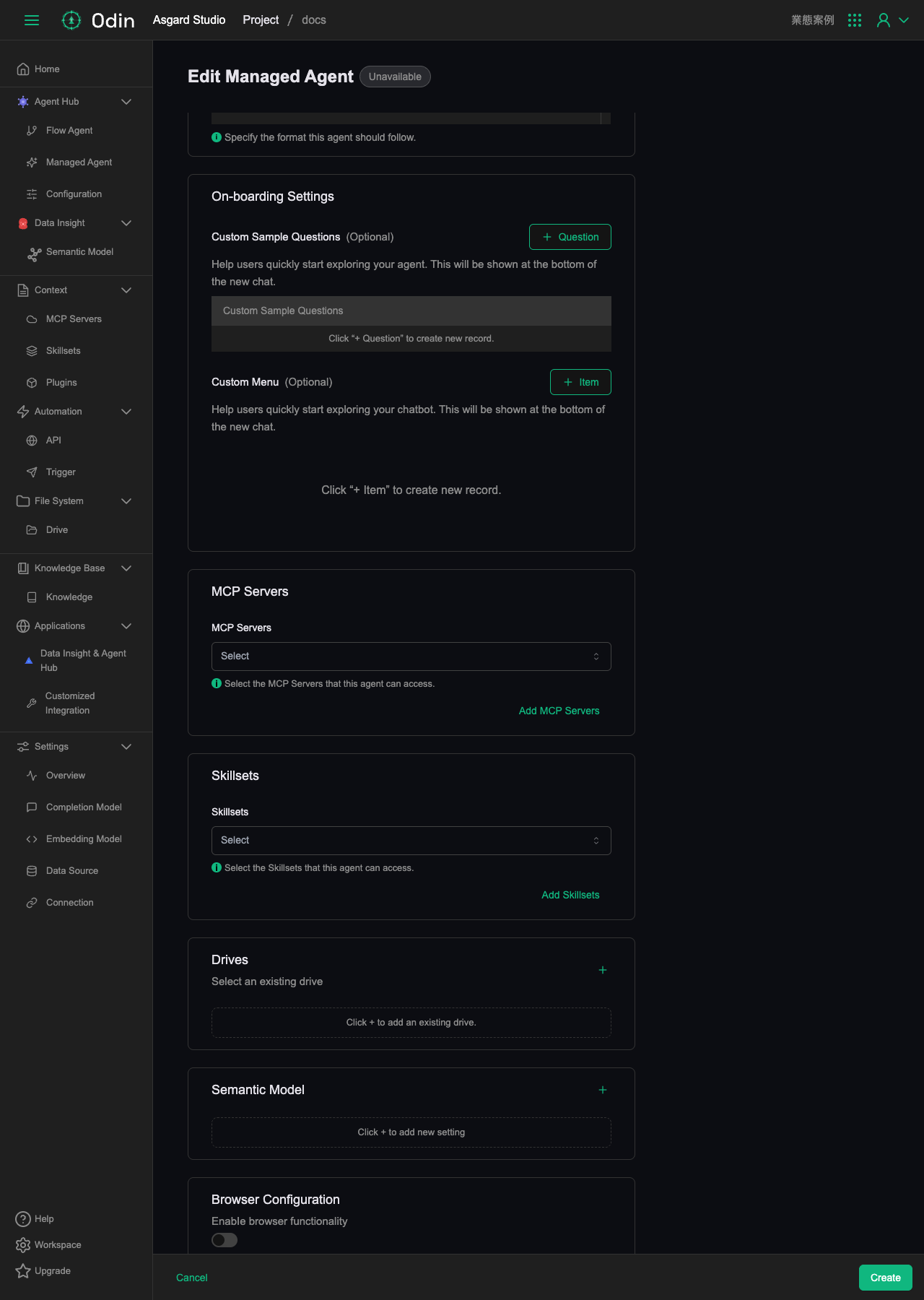
Below On-boarding Settings you can mount the resources this agent is allowed to use:
- MCP Servers: choose the MCP Servers this agent can reach, or click Add MCP Servers to add new ones.
- Skillsets: choose the Skillsets this agent can reach, or click Add Skillsets to add new ones.
- Drives: click the plus button to mount an existing Drive.
- Semantic Model: click the plus button to add a semantic data model configuration.
- Browser Configuration: toggle Enable browser functionality to give the agent browser control.