Case study: store stockout to inter-store transfer (user's view)
Store stockout to inter-store transfer covers this case from Odin | Asgard Studio's side, showing how an administrator builds the inter-store transfer Agent, mounts the Semantic Models it can query, and sets up the governance gate. This page continues with the same retail demo project but from the Sindri user's side: a business user does not need to know how the Agent was built at all, only to ask one question in a chat window.
The situation
An operations user signs in to Sindri, switches to the 零售 (IaC) Project, and sees five published Agents on screen, covering inter-store transfer, product insight, promotion analysis, replenishment purchasing and store operations. They do not need to judge which one to approach. They type straight into the box:
The 聯名鈦保溫瓶 (SKU-8801) at 信義旗艦店 runs out tomorrow. Which stores have surplus stock to transfer, and how much can each spare?
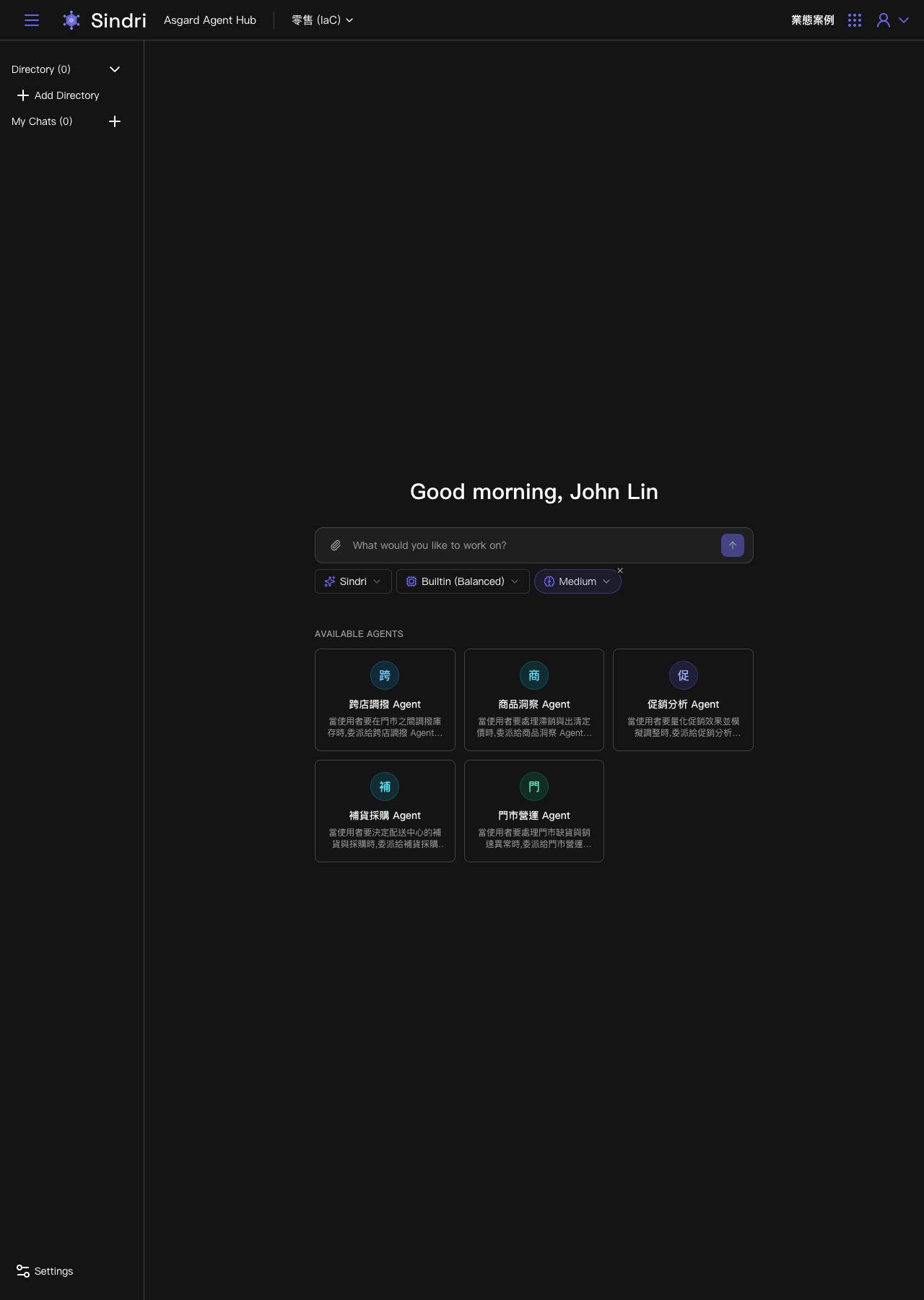
Sindri delegates to the inter-store transfer Agent
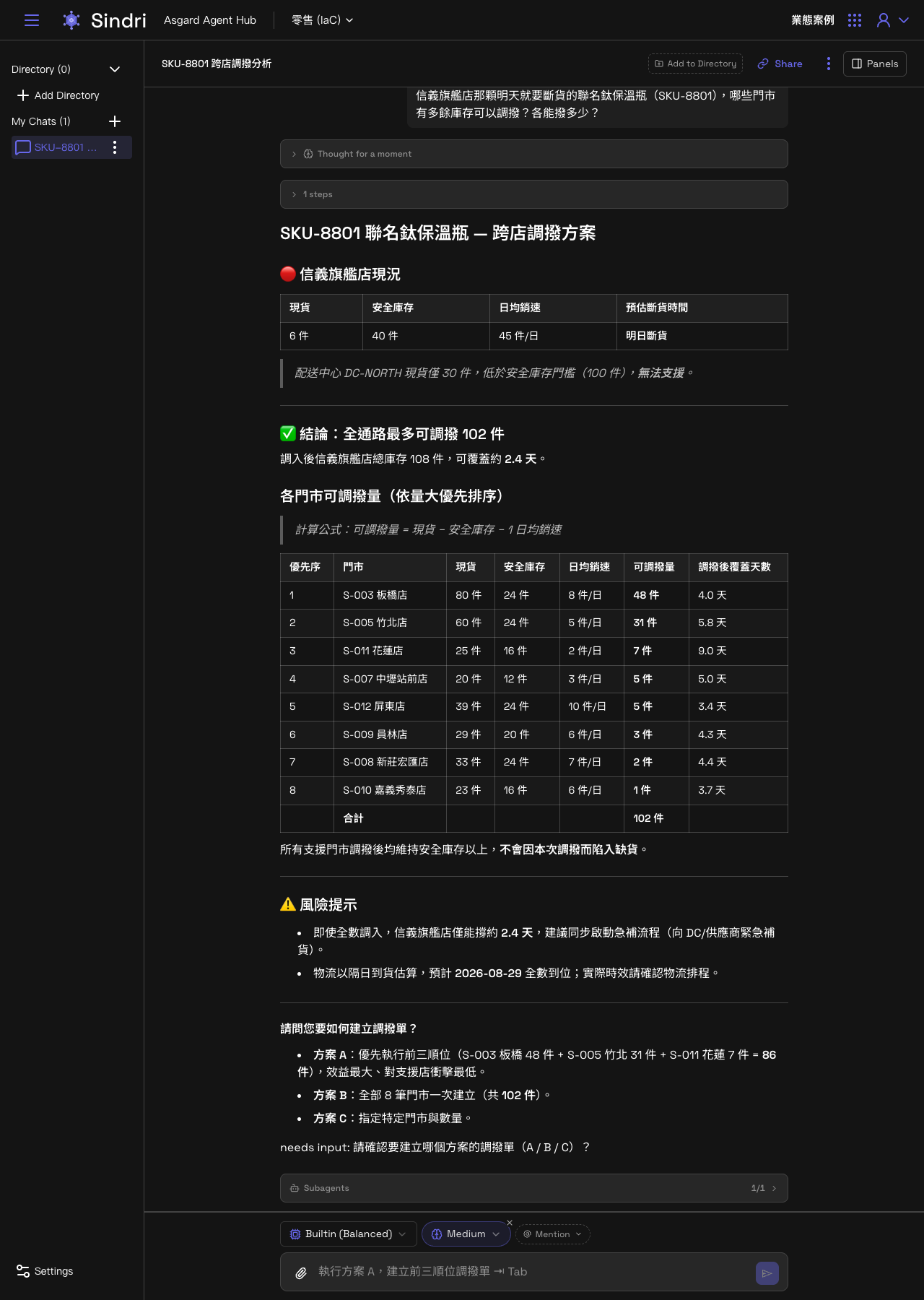
After the question is submitted, Sindri works out which Agent should take it. The screen shows in order the Thought for a moment processing notice, the automatically generated conversation title SKU-8801 跨店調撥分析, and then the Subagents panel showing delegation to allocation (the inter-store transfer Agent from the Odin case study), querying its mounted Semantic Model live.
Seconds later the full analysis comes back: 信義旗艦店's on-hand stock, safety stock, average daily sales rate and projected stockout time, then the total transferable across all channels (102 units), then each store's transferable quantity in priority order with the days of coverage each transfer would buy. The Agent does not go ahead and create transfer orders. It proposes three options (A: the top three stores, B: every store, C: custom) and waits for the user to confirm which to use.
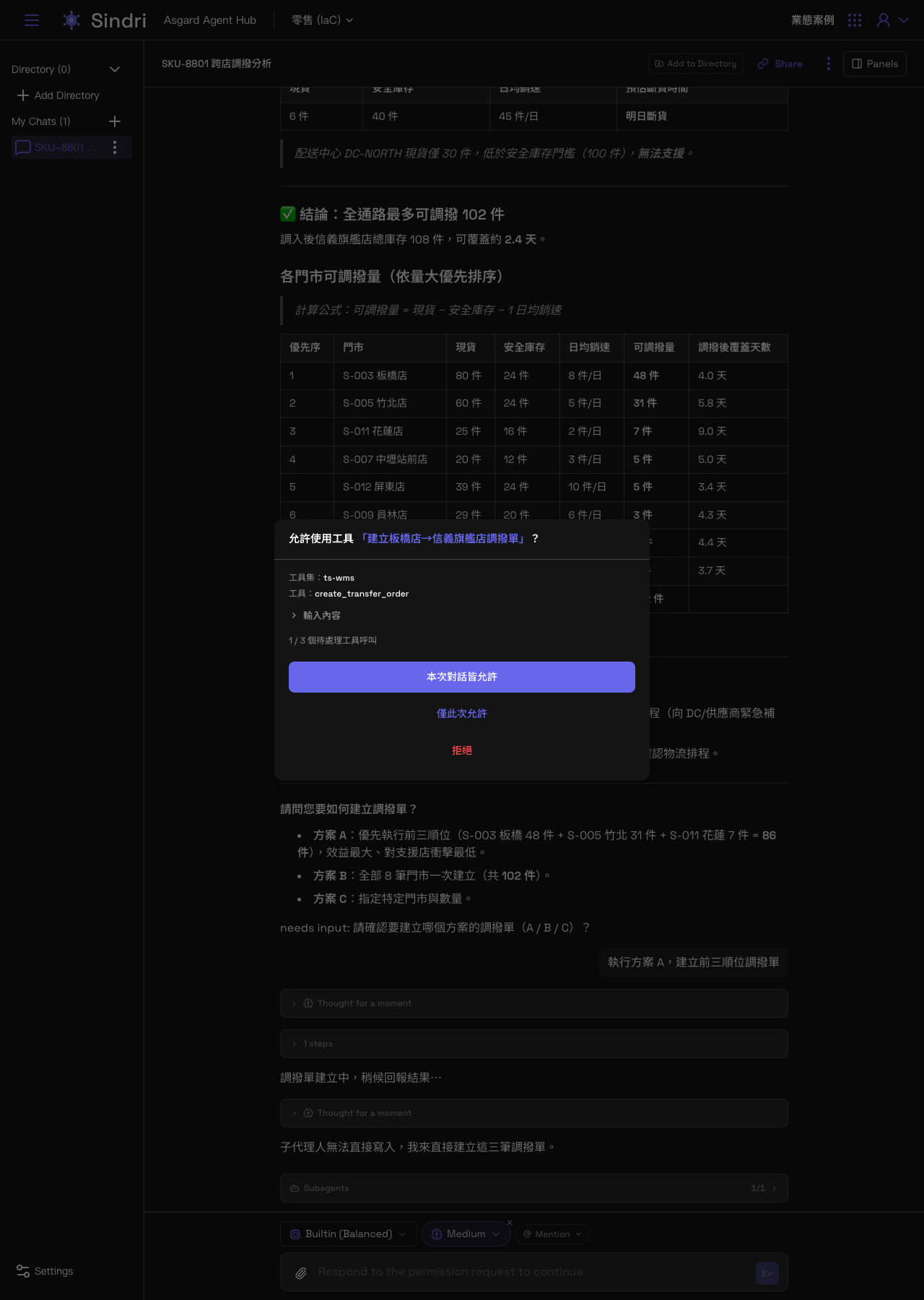
The governance gate: approving inside the chat window
The user then replies:
Execute option A, create transfer orders for the top three stores
The Agent prepares to call a tool that writes to a system. This step is the governance gate described in the inter-store transfer Agent's configuration, and on Sindri's side it is an approval dialog. It states the toolset (ts-wms) and the tool (create_transfer_order) to be called, the actual input which can be expanded to inspect, and which pending tool call this is (for example 1 / 3). The user can choose to allow for the whole conversation, allow once, or deny.
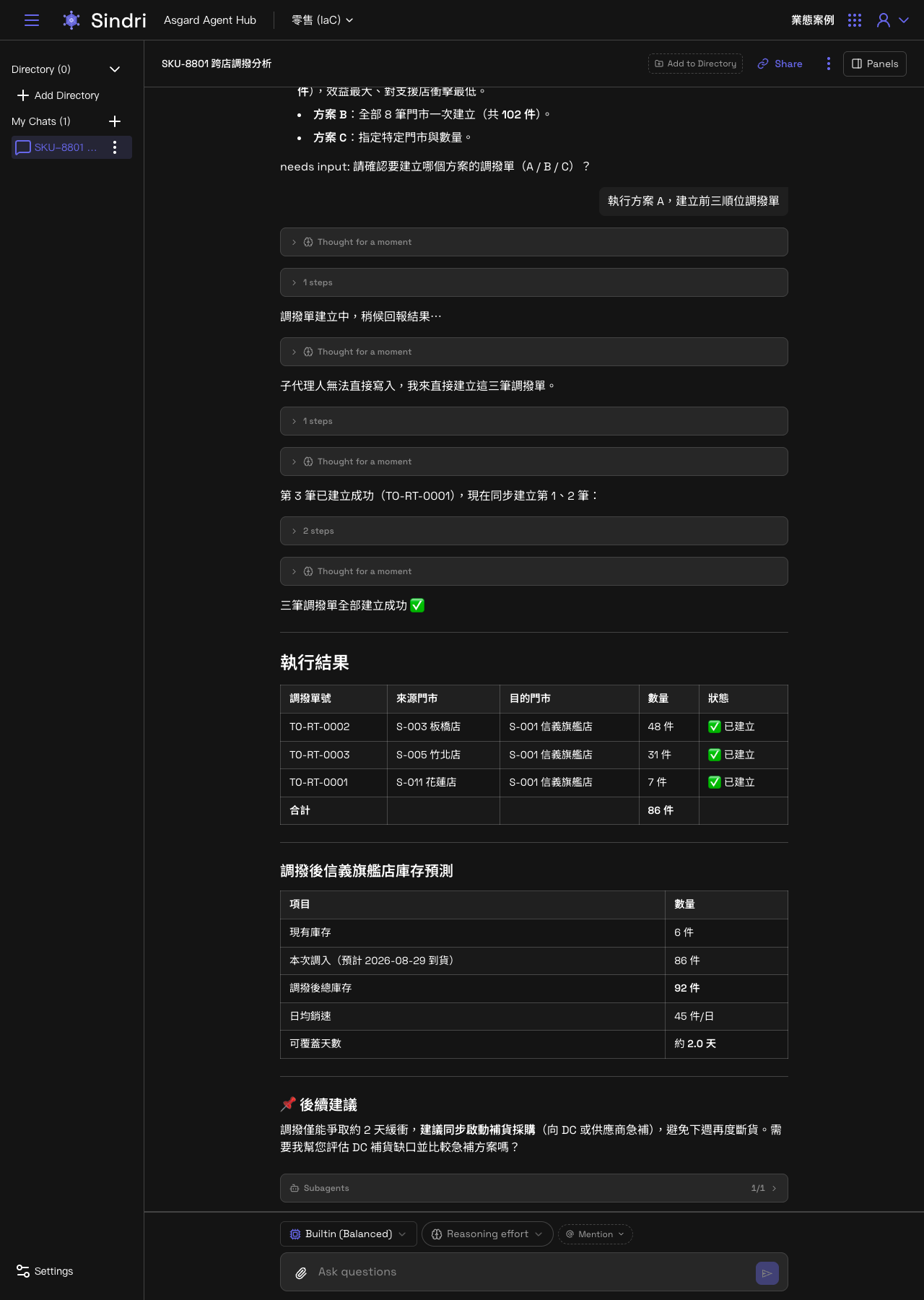
Once the three transfer orders (板橋, 竹北, 花蓮) have each been approved, the Agent reports the results: each order's number, source store, destination store and quantity, along with the post-transfer stock forecast for 信義旗艦店 (86 units in covers roughly 2.0 days). It then points out unprompted that the transfer only buys about two days of buffer, recommends starting replenishment purchasing in parallel, and asks whether to evaluate a replenishment plan next.
What this case shows
- The user does not need to know which Semantic Models exist behind the scenes or which Agent is responsible for what. Describing the problem in natural language is enough, and Sindri forwards it according to each Agent's delegation description.
- Querying and analysis (reads) the Agent completes on its own. Anything that changes system data (writes) always stops at the governance gate, where the user sees the tool name and the actual input in the chat window and decides to allow or deny. Nothing runs simply because it was submitted.
- The same Agent and the same governance gate configuration are, in Odin, build details an administrator sees, and in Sindri, an assistant that raises the risk unprompted and waits for approval before acting.