Project
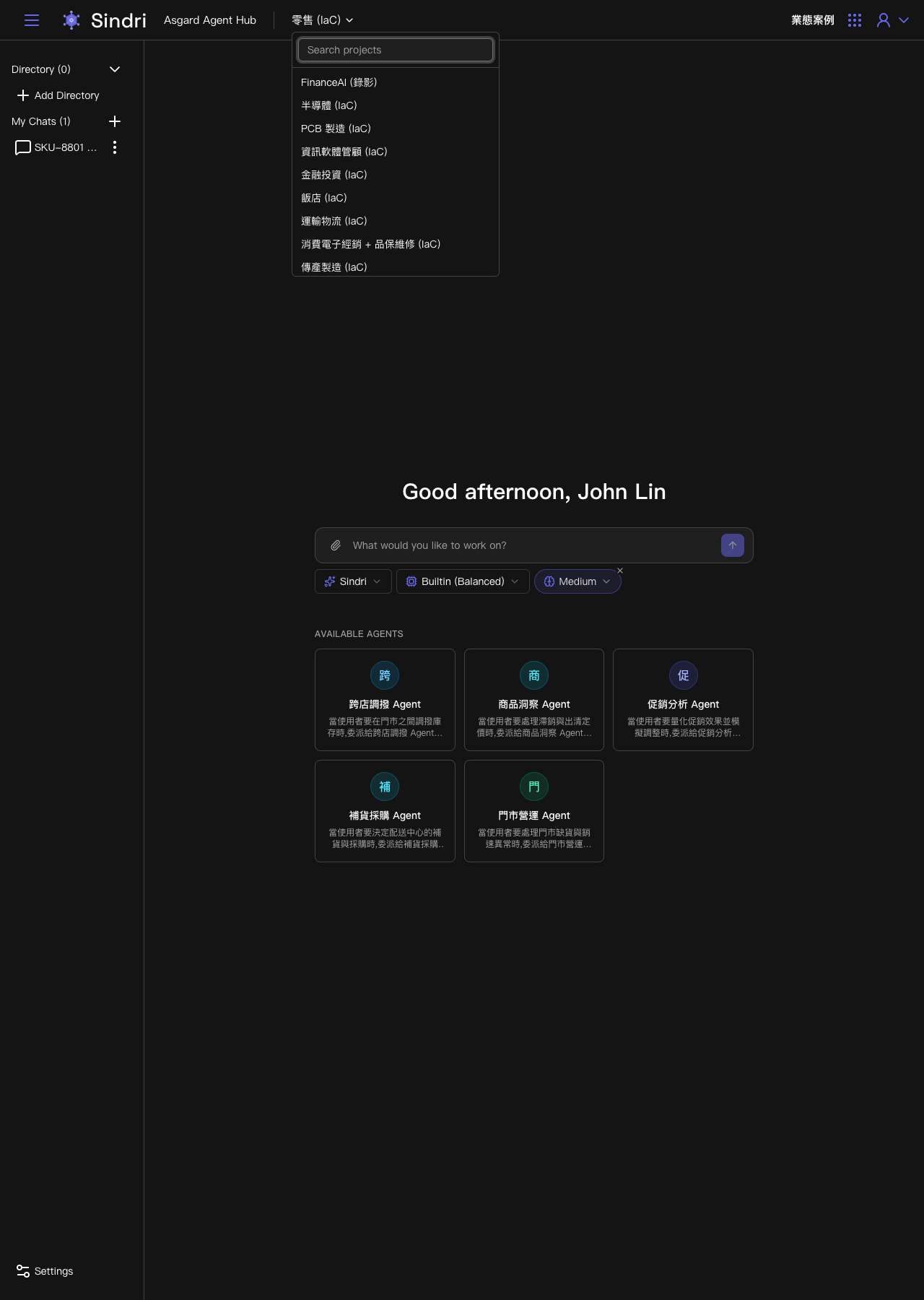
A Project is the dropdown switcher at the very top of the Sindri screen, showing the current name next to the logo (for example 零售 (IaC) or FinanceAI), and it corresponds to one real business situation. A single company may have several Projects at once, each representing a different department or scenario and each publishing its own Available Agents.
Clicking the current Project name opens a searchable list of every Project you have access to. Selecting one switches to it, and the Available Agents, Directory and My Chats on screen all change to that Project's contents. A single Workspace can hold several Projects across different lines of business at once, for example separate Projects for retail, semiconductors, PCB manufacturing, financial investment, hotels and transport logistics, each publishing Agents for its own domain.
A Project's scope is decided during provisioning, for example through Asgard's deployment process, not created ad hoc by a user in the Sindri chat interface. What Sindri offers on this side is switching to a Project you have access to, not adding a new one.