General settings
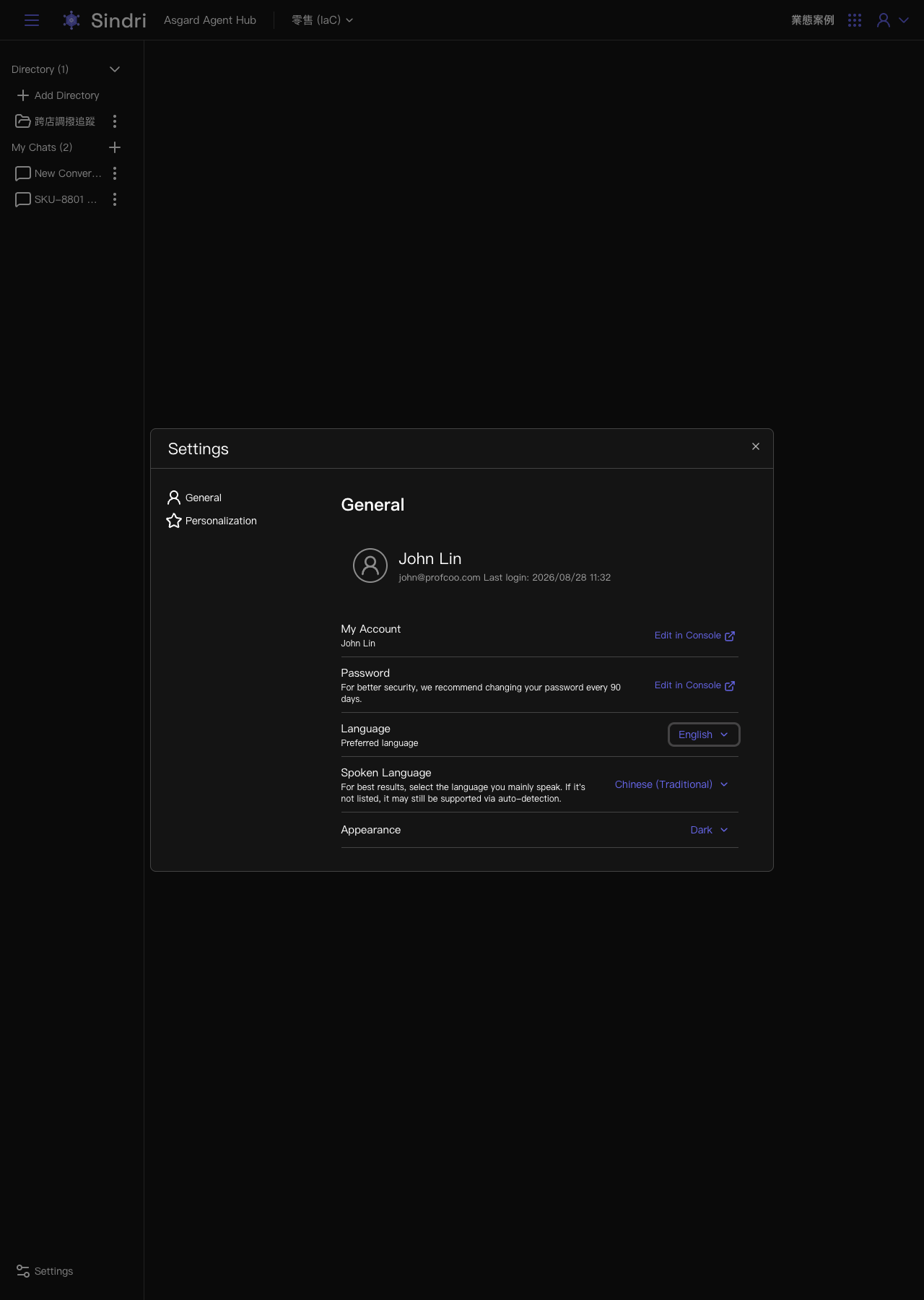
Clicking Settings in the bottom left of the sidebar opens the settings panel, split into General and Personalization.
Account and password
Account and password changes are all made in the Management Console. The General tab only shows the currently signed-in account and the last sign-in time, and provides an Edit in Console link through to the Management Console.
Language
Language sets the language the Sindri interface itself is displayed in.
Spoken language
Spoken Language is the language you mainly use, which lets Sindri reply in the most appropriate one. If the language you want is not on the list, it may still be supported through automatic detection.
Appearance theme
Appearance is a dropdown. It is currently set to Dark.